Amortization Schedule Payment Calculator: How to Use It
By Sohaib Ibrahim · Published October 20, 2026
To use an amortization schedule payment calculator, enter your loan amount, annual interest rate, and term in years. Read the monthly payment it returns, then scroll the schedule to see how each payment splits between interest and principal. Finally, add an extra payment to see how many years and dollars you save. The whole process takes about two minutes.
The problem is that a fixed monthly payment hides what is happening underneath. On a $300,000 loan at 6.5% over 30 years, your first payment is $1,896.20, but $1,625.00 of it is interest. Only $271.20 reduces your debt. Most borrowers do not see that split until they try to sell or refinance and find they owe far more than they expected.
This guide walks through the four steps with one worked example, so you can check every number against your own screen. You will learn how the formula works, how to enter your inputs correctly, how to read the table, and how to test extra payments. The examples use the free calculators at HomeLoanCalc.io, which need no signup and give results as you type.
What an amortization schedule shows
An amortization schedule is a table that lists every payment on a fixed-rate loan. It splits each payment into interest and principal and shows the balance left afterward. Every example below uses $300,000 at 6.5% over 30 years. The rate is for illustration, not a current quote.
How each payment gets split
Each month, the lender charges interest on what you still owe. The monthly interest equals your balance times the annual rate divided by 12. Whatever is left of your payment goes to principal. In month 1, interest is $300,000 × 0.065 ÷ 12 = $1,625.00, so principal is $1,896.20 − $1,625.00 = $271.20.

Every row repeats the same three steps:
- Interest = current balance × (annual rate ÷ 12)
- Principal = monthly payment − interest
- New balance = current balance − principal
In month 2, the balance is $299,728.80. Interest falls to $1,623.53 and principal rises to $272.67. The payment stays level while the interest share shrinks and the principal share grows by the same amount.
Early payments mostly pay interest, which is why the balance barely moves in the first years.
The formula behind the calculator
The payment comes from one equation: M = P × r(1+r)ⁿ ÷ ((1+r)ⁿ − 1). Here P is the loan amount, r is the monthly rate (annual rate ÷ 12), and n is the total number of payments. Any amortization formula calculator, including a spreadsheet, uses this same equation for fixed-rate loans.
For the example, r = 0.065 ÷ 12 = 0.0054167 and n = 360, which makes (1+r)ⁿ about 6.9918. So M = $300,000 × 0.0054167 × 6.9918 ÷ 5.9918 = $1,896.20. The calculator does exactly this, then repeats the three-step split 360 times without an arithmetic slip. HomeLoanCalc.io uses the standard fixed-rate formula that banks and lenders use.
Step 1. Enter your loan amount, rate, and term
Open the Amortization Calculator and type three numbers: the loan amount, the annual interest rate, and the term in years. Results update as you type, so there is no calculate button and no form to submit.
Fill in the three fields
Enter each field the way your loan documents state it:
- Loan amount: the amount you borrow, not the price of the house.
- Annual interest rate: the note rate on your loan estimate or preapproval, not the APR, which bundles in fees.
- Loan term in years: 30 or 15 for most mortgages, or whatever term your loan carries.
For the example, type 300000, 6.5, and 30. If you are still shopping for a home loan, try two or three rates and terms to see how they change the schedule.
Work out the loan amount first
Your loan amount is the home price minus your down payment. A $375,000 house with 20% down ($75,000) leaves a $300,000 loan. If you put down less than 20%, your lender will likely add private mortgage insurance, which the schedule does not include.
The schedule also leaves out property tax, homeowners insurance, and HOA fees. To see a full monthly payment, use the Mortgage Calculator, which adds those costs and still produces an amortization schedule. Also remember that the calculator models fixed-rate loans. An adjustable-rate loan, interest-only loan, or balloon loan changes its payment on a different timeline, so a single schedule will not stay valid.
Enter what you borrow, not what the house costs.
Step 2. Check the monthly payment and totals
The calculator returns three headline figures: your monthly payment, the total of all payments, and the total interest. For the example, the monthly payment is $1,896.20 and you pay $382,632 in interest over the full term.
What the results mean
| Result | Example value |
|---|---|
| Monthly payment (principal and interest) | $1,896.20 |
| Total of 360 payments | $682,632 |
| Total interest | $382,632 |
The interest alone is more than the $300,000 you borrowed. That is normal for a 30-year loan at this rate, and it is the number most worth seeing before you sign. Payment scales with loan size at the same rate and term, at about $6.32 per $1,000 borrowed. A $500,000 loan under the same terms comes to about $3,160 a month.
Confirm the payment in a spreadsheet
You can cross-check any result in Excel or Google Sheets with the built-in PMT function. Paste this into a cell:
=PMT(0.065/12, 360, -300000)
It returns 1896.20, matching the calculator. The minus sign before the loan amount makes the payment come out positive. If your lender quotes a different figure, the gap almost always comes from a different rate, a different term, or escrow for taxes and insurance inside the quoted payment.
If the calculator and PMT agree, any gap with your lender's quote comes from rate, term, or escrow, not the math.
Step 3. Read the schedule row by row
Each row of the schedule is one payment, showing the interest, the principal, and the ending balance. Start with the annual view for the big picture, then switch to the monthly view for exact figures.
Choose annual or monthly view
The annual summary shows 30 rows, which is enough to see the trend. In year 1 you pay $22,754 in total but reduce the balance by only about $3,353, under 15% of what you paid. The rest is interest.
Switch to the monthly view when you need an exact balance on a specific date. That matters if you plan to sell, refinance, or make a lump-sum payment in a given month. The monthly table is also the one to match against your lender's statements.
Find the crossover point
The crossover is the first payment where principal exceeds interest. Scan the monthly view for it, or compare these rows:
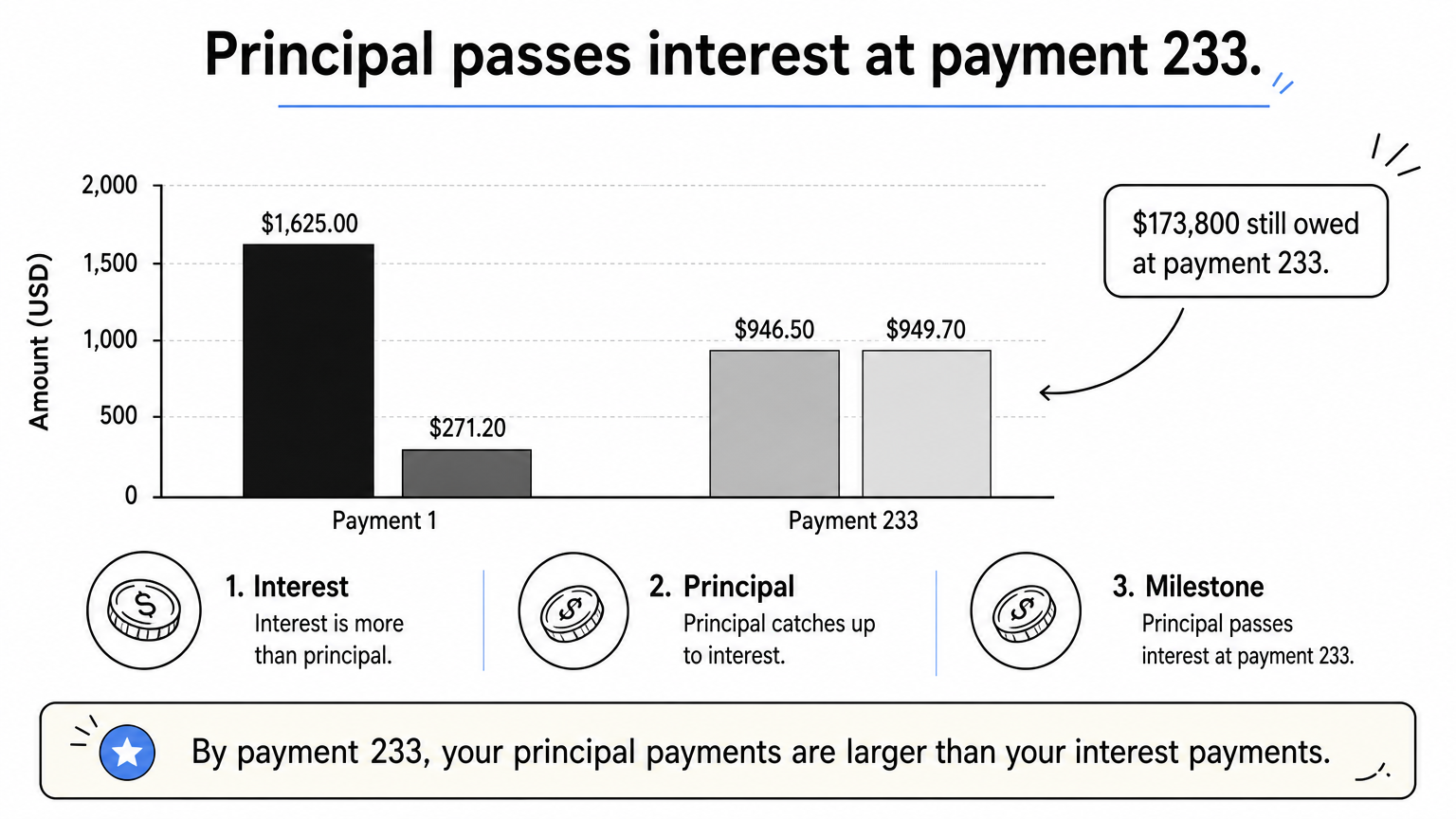
| Payment | Interest | Principal | Balance |
|---|---|---|---|
| 1 | $1,625.00 | $271.20 | $299,728.80 |
| 2 | $1,623.53 | $272.67 | $299,456.13 |
| 233 | $946.50 | $949.70 | $173,789.36 |
| 360 | $10.21 | $1,885.99 | $0.00 |
At payment 233, more than 19 years in, principal finally passes interest. Even then you still owe about $173,800, well over half the original loan. That is why equity builds slowly early on, and why refinancing into a fresh 30-year term sends you back to the interest-heavy rows at the top of the table.
The share of payments you have made is always larger than the share of the loan you have paid off.
Step 4. Test extra payments
Extra mortgage payments applied to principal shrink the balance that all future interest is charged on, so the savings are larger than the extra amount. Open the Extra Mortgage Payment Calculator, enter your current loan balance and the extra monthly or one-time amount you are considering. It shows your original payoff schedule and the accelerated schedule as two side-by-side balance charts.
What extra payments save on the example
| Extra per month | Payments to payoff | Time saved | Interest saved |
|---|---|---|---|
| $0 | 360 | None | None |
| $120 | 304 | 4 years 8 months | about $70,600 |
| $240 | 265 | 7 years 11 months | about $117,100 |
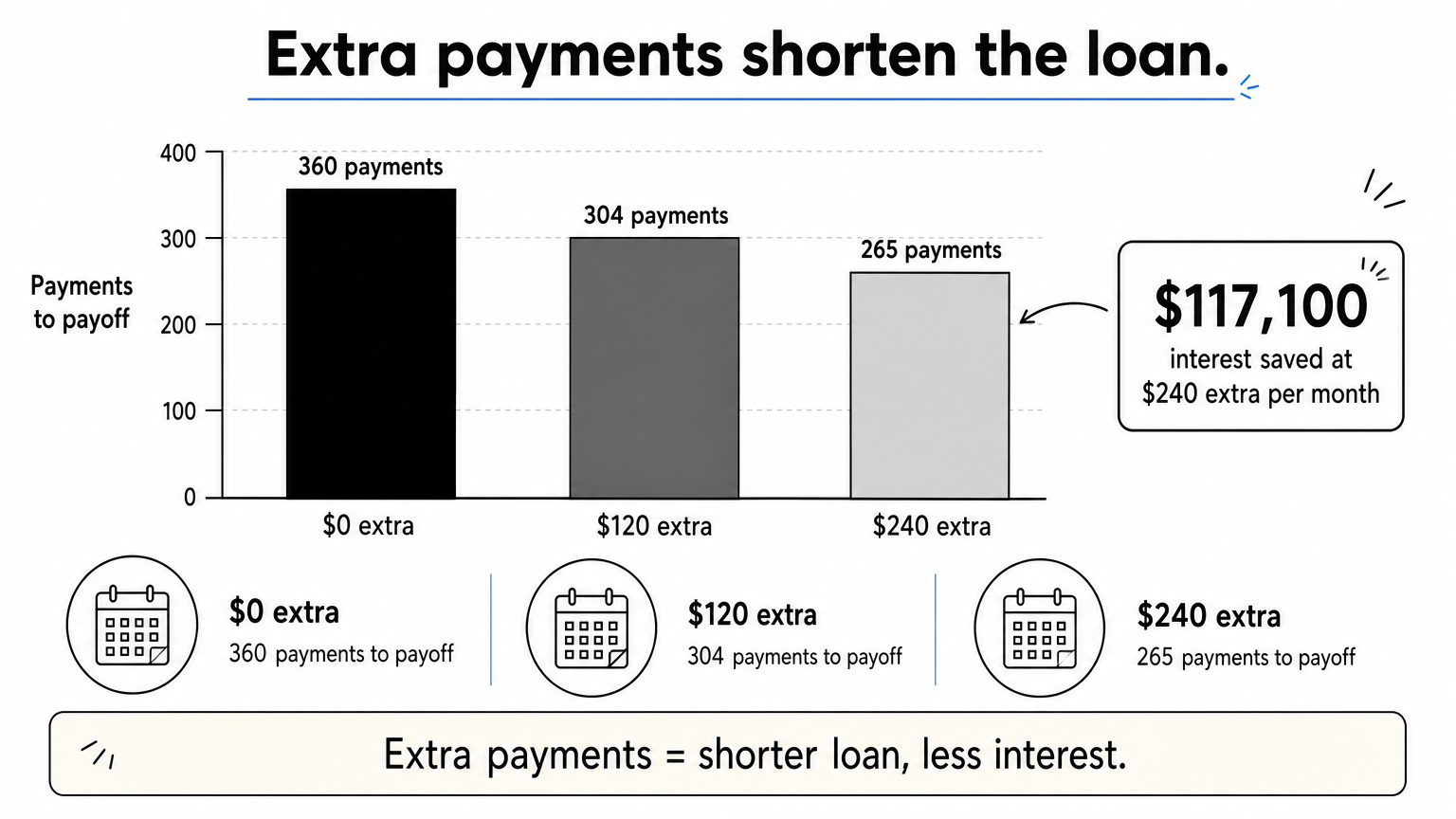
An extra $120 is only about 6% of the regular payment, yet it removes nearly five years from the loan. Doubling it to $240 saves roughly $117,000. These figures assume you start extra payments in month 1. Starting later still helps, but the savings shrink the longer you wait, because more interest has already been charged.
Make sure the extra goes to principal
First, check your loan agreement for a prepayment penalty. These are uncommon on mortgages but show up on some auto and personal loans. Then tell your servicer in writing how to apply the money, because some lenders hold extra funds as an early installment instead of reducing principal. A short note works:
Please apply the additional $120 included with this month's payment to my loan principal only. Do not treat it as a prepayment of a future installment. Loan number: [your loan number]
Afterward, check the next statement to confirm the principal balance dropped by the extra amount.
An extra payment only saves interest if the servicer applies it to principal.
Run your own numbers
An amortization schedule payment calculator does one job well. It turns three inputs into a payment, a full table, and a clear picture of what extra payments can do. Enter your loan amount, rate, and term, confirm the payment, find your crossover point, then test an extra amount you can afford. The results are planning estimates, not lender quotes or financial advice, so confirm final figures with your lender.
When you are ready, open the free amortization calculator at HomeLoanCalc.io and enter your own loan. It takes a minute, and you do not need to sign up or share an email address.
This article is for general information and is not financial advice. Confirm figures with your lender or an official source before you decide.
Run your own numbers
Use our free calculators to see what this means for your loan.
More articles
- Insurance and Mortgage: How PMI Works and What It Costs
- Mortgage Paid Off Calculator: How to Find Your Payoff Date
- How Much House Can I Afford with a $100K Salary?
- Amortization Schedule for a Mortgage with a Balloon Payment
- Annual Amortization Calculator: Build a Yearly Schedule
- How Much Can I Afford on a House? 4 Steps to Your Number
- Mortgage Term: What It Is and How to Pick the Right One
- How to Use a Mortgage Calculator to Estimate Your Payment
- How Much to Afford a 500K House: Income and Down Payment
- Oklahoma Mortgage Calculator: Add Taxes, Insurance and PMI